Design on the big screen.
The browser editor mirrors the iOS app with a desktop-sized canvas and full keyboard control. Browse curated themes, tweak every slider, and export. Free to use, no sign-in required.
Open the web editor →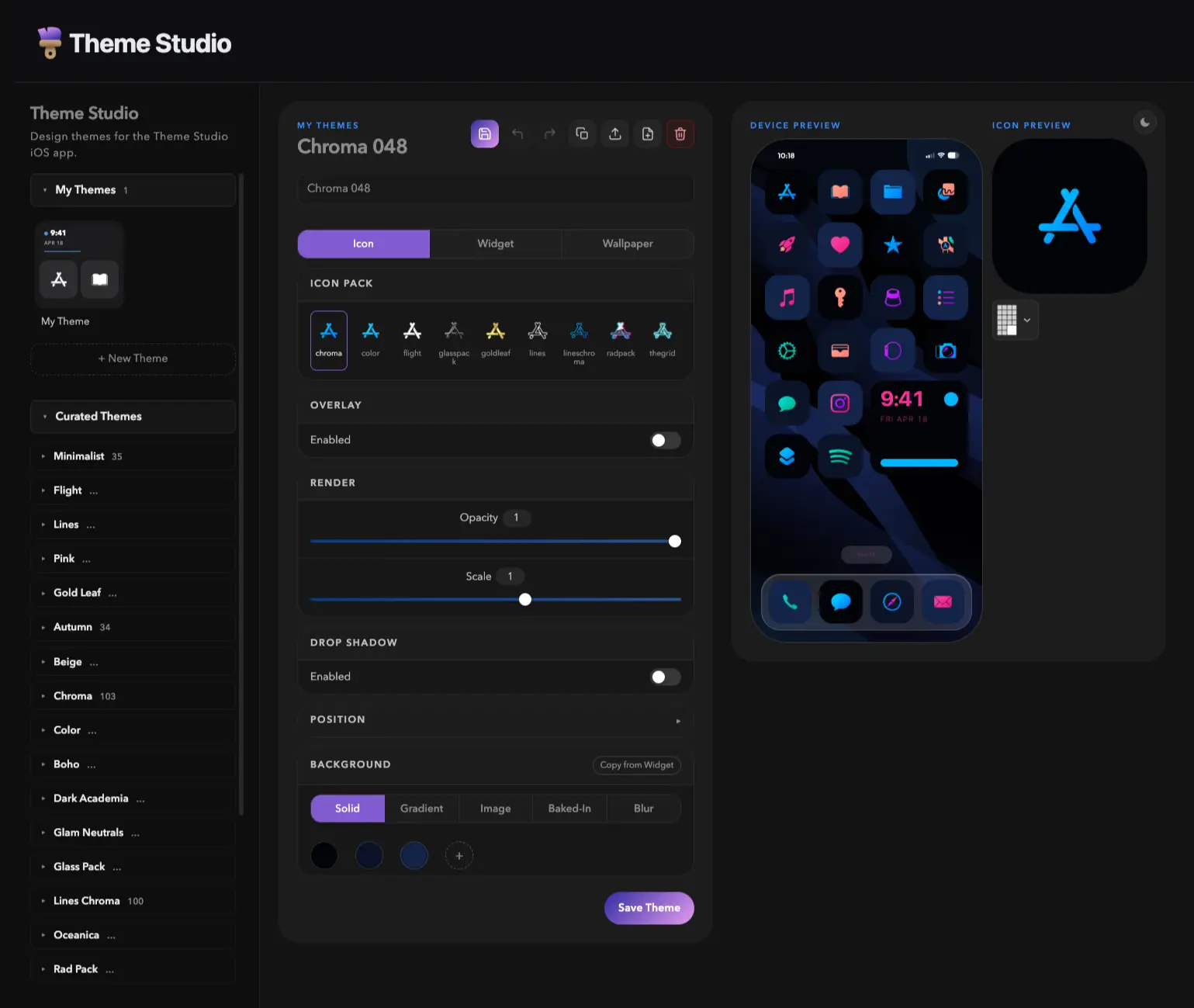
Theme Studio for iPhone lets you build custom icons, wallpapers, and widget layouts. Apply them with the built-in Shortcuts app.
Join the beta on TestFlight Or try the web editor in your browser.The browser editor mirrors the iOS app with a desktop-sized canvas and full keyboard control. Browse curated themes, tweak every slider, and export. Free to use, no sign-in required.
Open the web editor →
The Studio tab is your live workshop. Tweak icon size, background, overlays, and shadows on a working phone mockup that updates the moment you move a slider. Switch between icon, widget, and wallpaper passes without leaving the preview.
Studio tab in the wiki →
Dozens of complete themes that pair icons, wallpaper, and widgets into a single cohesive look. Tap Apply once and Theme Studio sets up your Export List, wallpaper, and widget styles in one move.
Themes tab in the wiki →
Eleven full icon packs covering every common app, plus partial color and glass packs for finer styling. Search by app name, switch packs with a tap, and queue up everything you need for a single export pass.
Icons tab in the wiki →
Hand-picked wallpaper packs spanning abstract, photography, minimal, and seasonal looks. Browse by pack, preview at full size, and save straight to your camera roll.
Walls tab in the wiki →
Clock, calendar, battery, weather, and photo widgets in multiple style variants. Pick the look that matches your theme, drop it on your Home Screen, and you are done.
Widgets tab in the wiki →
Solid, gradient, image, baked-in, or blur backgrounds. Color overlays, drop shadows, opacity, scale, offset. Every property is exposed and previewed visually so you can tune the exact look you want without guessing.
Editing icons in the wiki →
The Bakery flattens your icons directly into the wallpaper image so they line up with the iOS Home Screen grid pixel-for-pixel. No off-by-one gaps, no misaligned rows. One wallpaper, perfectly placed.
Bakery in the wiki →
Import any PNG or SVG and Theme Studio turns it into a Home Screen icon. Pan, scale, color-fill, even auto-remove the background. Your custom glyphs live alongside the bundled packs.
Custom icons in the wiki →